MacBook Running Slow? 9 Reasons Your Mac May Need Attention
Is your MacBook taking longer to start, opening applications slowly, freezing during normal use, or becoming noticeably slower than before? A MacBook that once felt fast can gradually become sluggish for several different reasons.

Slow performance does not always mean that your MacBook needs a major repair. Storage issues, too many background processes, outdated software, battery problems, overheating, or hardware faults can all affect performance.
If you are using a MacBook in Guwahati and have noticed a sudden or gradual slowdown, here are 9 common reasons worth checking.
1. Your MacBook Is Running Low on Storage
One of the most common reasons for a slow MacBook is insufficient available storage.
When the internal drive becomes nearly full, macOS may have less space available for temporary files, system processes, updates, and other operations.
Check your available storage and remove unnecessary files, old downloads, duplicate files, and applications you no longer use.
Before deleting important data, make sure you have a suitable backup.
2. Too Many Applications Are Running
Having many applications open simultaneously can increase the workload on your MacBook.
Applications such as browsers, video editors, design software, communication tools, and other demanding programs can use significant system resources.
Close applications that you are not currently using and check whether performance improves.
3. Too Many Browser Tabs Are Open
Web browsers can consume considerable memory, particularly when many tabs are open.
If your MacBook becomes slow while browsing, try closing unnecessary tabs and browser windows.
You can also check which browser tabs or extensions are consuming significant resources.
4. Background Applications May Be Consuming Resources
Some applications continue running in the background even when you are not actively using them.
Cloud synchronization tools, backup applications, update utilities, and other background services can use CPU, memory, storage, or network resources.
Activity Monitor can help identify applications that are consuming unusually high system resources.
5. Your macOS May Need an Update
Software updates can include bug fixes, performance improvements, security changes, and compatibility improvements.
If your MacBook is running an outdated version of macOS, check whether an appropriate update is available for your model.
However, if the MacBook became significantly slower immediately after a software change, a proper diagnostic check may help identify the cause.
6. Your MacBook May Be Overheating
Excessive heat can affect MacBook performance.
When the system becomes too hot, it may reduce performance to control temperatures. You may notice slower applications, reduced responsiveness, or increased fan activity.
Dust accumulation, demanding applications, blocked ventilation, battery problems, or internal hardware issues can contribute to overheating.
If your MacBook becomes unusually hot during light use, it should be inspected.
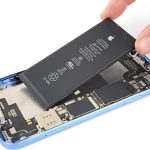
7. Battery Problems Can Affect the Overall Experience
An aging or damaged battery can cause other performance-related symptoms.
If your MacBook has poor battery backup, unexpected shutdowns, overheating, or charging problems along with slow performance, the battery and charging system should be checked.
Battery-related symptoms should not automatically be assumed to be the cause, which is why proper diagnosis is useful.
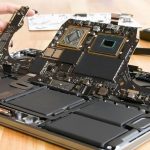
8. Your MacBook May Have a Hardware Problem
If your MacBook suddenly becomes slow, freezes regularly, restarts unexpectedly, or shows unusual behaviour, the problem may be related to hardware.
Potential causes can include:
- Storage problems
- Memory-related issues
- Battery faults
- Charging-system problems
- Overheating
- Logic board issues
- Display or peripheral-related faults
- Liquid damage
A professional diagnostic inspection can help identify whether the problem is software-related or hardware-related.
9. Your MacBook May Simply Need a Professional Diagnostic Check
If you have already cleared unnecessary files, closed applications, restarted the MacBook, and checked for software updates but the problem continues, it may be time for a professional diagnosis.
A proper inspection can help determine why the MacBook is running slowly instead of replacing components unnecessarily.
Signs Your Slow MacBook Needs Attention
Consider getting your MacBook checked if you notice:
- Very slow startup
- Applications taking a long time to open
- Frequent freezing
- Unexpected restarts
- Persistent spinning loading indicator
- Excessive fan noise
- Unusual heating
- Very poor battery backup
- Charging problems
- Slow performance even with light usage
What Can You Do Before Visiting a Repair Centre?
You can try a few basic steps before arranging professional assistance:
- Restart the MacBook.
- Check available storage.
- Close unnecessary applications.
- Reduce unnecessary browser tabs.
- Check Activity Monitor for resource-heavy applications.
- Install appropriate macOS updates.
- Back up important files.
- Check whether the MacBook is overheating.
- Seek professional diagnosis if the slowdown continues.
MacBook Repair and Diagnosis in Guwahati
If your MacBook is running slowly despite basic troubleshooting, the problem may require a deeper inspection.
APPLE REPAIR CENTRE GUWAHATI provides MacBook diagnostic and repair services in Ulubari, Guwahati. Devices can be checked for performance problems, battery issues, charging problems, overheating, display faults, liquid damage, storage-related problems, motherboard issues, and other hardware concerns.
Our Business Details
APPLE REPAIR CENTRE GUWAHATI
Apple Repair Centre, Shima Plaza, 4th Floor, Opp. Prag News, Ulubari, Guwahati, Assam 781007
Phone: 9127586561, 8403921740
Website: https://www.applerepairguwahati.com
Connect With Us
Instagram: https://instagram.com/applerepaircentreguwahati
Facebook: https://facebook.com/
Frequently Asked Questions
Why is my MacBook suddenly running slow?
A MacBook can become slow because of low storage, demanding applications, background processes, overheating, software issues, battery problems, or hardware faults.
Does low storage make a MacBook slow?
A nearly full storage drive can affect normal system operations and overall performance. Maintaining sufficient free storage is recommended.
Can overheating make a MacBook slow?
Yes. Excessive temperatures can cause the system to reduce performance to manage heat.
Should I replace my MacBook if it becomes slow?
Not necessarily. The cause should be identified first. If the MacBook is otherwise suitable for your needs, repair or maintenance may be a better option.
Can a battery problem cause MacBook performance issues?
Battery problems can sometimes occur alongside overheating, charging issues, and unexpected shutdowns. A proper diagnostic check can determine whether the battery is contributing to the problem.
Where can I get my MacBook checked in Guwahati?
You can visit APPLE REPAIR CENTRE GUWAHATI at Shima Plaza, 4th Floor, Opp. Prag News, Ulubari, Guwahati for MacBook diagnostics and repair services.