MacBook Pro Trackpad Connector Repair in Guwahati | Professional Trackpad Connector Service
Get professional MacBook Pro Trackpad Connector Repair in Guwahati at APPLE REPAIR CENTRE GUWAHATI. We diagnose and repair damaged, loose, corroded, or faulty trackpad connectors causing clicking, cursor, gesture, or trackpad failure.

If your MacBook Pro trackpad is not responding, clicking intermittently, losing cursor control, or experiencing gesture and haptic problems, a damaged trackpad connector may be responsible.
The trackpad connector provides the electrical connection between the trackpad or flex cable and the MacBook Pro’s internal circuitry. Damaged pins, loose connections, corrosion, or broken solder joints can interrupt trackpad signals and cause various input problems.
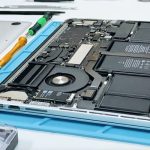
At APPLE REPAIR CENTRE GUWAHATI, we provide professional MacBook Pro Trackpad Connector Repair services. Our technicians inspect the connector, pins, flex cable, solder joints, battery condition, and related logic board circuitry before recommending repair or replacement.
MacBook Pro Trackpad Connector Repair Services
- Trackpad Connector Diagnosis
- Trackpad Connector Repair
- Trackpad Connector Replacement
- Connector Pin Inspection
- Damaged Pin Repair
- Bent Pin Diagnosis
- Loose Connector Repair
- Corroded Connector Inspection
- Connector Cleaning
- Connector Solder Joint Repair
- Trackpad Flex Cable Inspection
- Trackpad Flex Replacement
- Trackpad Signal Testing
- Trackpad Click Diagnosis
- Cursor Movement Diagnosis
- Multi-Touch Gesture Testing
- Haptic Feedback Diagnosis
- Liquid Damage Inspection
- Corrosion Inspection
- Logic Board Trackpad Circuit Diagnosis
- Component-Level Connector Repair
- Precision Micro-Soldering
- Complete Trackpad Function Testing
Common Signs of Trackpad Connector Problems
Your MacBook Pro may require trackpad connector repair if:
- Trackpad is completely unresponsive
- Trackpad works intermittently
- Clicking stops randomly
- Cursor movement becomes unreliable
- Multi-touch gestures stop working
- Haptic feedback stops working
- Trackpad works after reconnecting the flex cable but fails again
- Problems appear after physical impact
- Trackpad problems occur after liquid exposure
- Connector pins are damaged
- Connector connection is unstable
- Trackpad stopped working after previous repair work
Causes of Trackpad Connector Damage
Trackpad connector problems can be associated with:
- Physical impact
- Damaged connector pins
- Bent pins
- Broken solder joints
- Loose connection
- Liquid exposure
- Corrosion
- Improper flex installation
- Incorrect previous repair
- Excessive pressure on the connector
- Logic board damage
Professional Trackpad Connector Diagnosis
A trackpad problem does not always mean that the connector is faulty. The issue may also originate from the trackpad, flex cable, battery, software, or logic board.
Our technicians inspect the connector and test the trackpad connection before performing repair. Connector pins, solder joints, flex connections, and surrounding board circuitry are checked for damage or corrosion.
Where technically possible, damaged pins, solder joints, or connector components can be repaired using precision micro-soldering. If the connector is severely damaged, replacement may be recommended.
Trackpad Connector and Flex Testing
We can test:
- Trackpad flex connection
- Connector pin condition
- Trackpad signal continuity
- Cursor response
- Click response
- Multi-touch gestures
- Haptic feedback where applicable
- Connector solder joints
- Logic board trackpad circuit
- Overall trackpad stability
Battery Swelling Inspection
A swollen battery can place pressure on the trackpad and surrounding internal components. If the trackpad is raised or difficult to click, the battery should also be inspected.
Trackpad connector repair alone may not resolve a problem caused by battery pressure or another internal fault.
MacBook Pro Models
Trackpad connectors, flex cables, and internal layouts vary between MacBook Pro generations and configurations. We diagnose compatible Intel and Apple Silicon MacBook Pro models and determine the correct repair procedure based on the exact device.
Why Choose APPLE REPAIR CENTRE GUWAHATI
- Professional Trackpad Connector Diagnosis
- Experienced MacBook Repair Technicians
- Advanced Diagnostic Equipment
- Precision Micro-Soldering
- Component-Level Connector Repair
- Flex and Connector Testing
- Battery Swelling Inspection
- Liquid Damage Inspection
- Cursor and Gesture Testing
- Haptic Feedback Testing
- Complete Trackpad Testing
- Transparent Repair Process
- Convenient Location in Ulubari, Guwahati
MacBook Pro Trackpad Connector Repair in Guwahati
A damaged trackpad connector can cause the trackpad to stop responding or create intermittent clicking, cursor, and gesture problems. Our technicians carefully inspect the connector, flex cable, trackpad, and logic board before carrying out repairs.
After repair, the MacBook Pro is tested for cursor movement, clicking, scrolling, gestures, haptic feedback where applicable, and stable trackpad operation.
Visit APPLE REPAIR CENTRE GUWAHATI
Address
Apple Repair Centre
Shima Plaza, 4th Floor
Opp. Prag News
Ulubari, Guwahati, Assam 781007
Phone
9127586561
8403921740
Website
Social Media
https://www.facebook.com/applerepaircentreguwahati781008
https://www.instagram.com/applerepaircentreguwahati
X
If your MacBook Pro trackpad is unresponsive, clicking intermittently, or experiencing cursor, gesture, or haptic problems caused by a damaged connector, visit APPLE REPAIR CENTRE GUWAHATI for professional Trackpad Connector Repair and complete input device diagnostics.