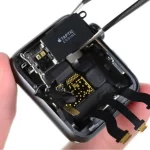
Apple Watch Battery Draining Fast? Common Reasons Explained

Is your Apple Watch battery draining much faster than usual? Are you charging it every day but still struggling to get through your normal routine? Fast battery drain can be frustrating, particularly when you rely on your Apple Watch for notifications, calls, fitness tracking, time, and other everyday functions. Some battery drain is normal, especially…

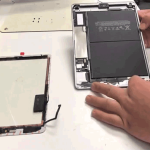
iPad Screen Cracked? Repair or Replace: What Makes More Sense?

A cracked iPad screen can happen unexpectedly. A simple drop from a table, accidental pressure inside a bag, or an impact on a hard surface can leave the display cracked or completely unusable. When this happens, many iPad users in Guwahati wonder whether they should repair the screen or replace the entire iPad. In many…

iPad Not Charging? Common Causes and Repair Solutions

Is your iPad not charging when you connect the charging cable? Does the battery percentage remain stuck, charge very slowly, or stop charging unexpectedly? Charging problems can be caused by a damaged cable, faulty adapter, blocked charging port, battery degradation, software issues, liquid exposure, or an internal hardware fault. Before assuming that your iPad needs…

MacBook Liquid Damage: What You Should Do Immediately

Accidentally spilling water, coffee, tea, juice, or another liquid on your MacBook can be stressful. A small spill can potentially reach the keyboard, trackpad, charging components, or internal electronics. Even if the MacBook continues working after a spill, liquid damage should not be ignored. Moisture can remain inside the device and may later cause corrosion,…

MacBook Screen Flickering or Showing Lines? What Does It Mean?

Is your MacBook screen flickering, showing horizontal or vertical lines, flashing unexpectedly, or displaying unusual colours? Display problems can be distracting and may make it difficult to work, watch videos, edit photos, or use the MacBook normally. A flickering or distorted screen does not always mean that the display needs replacement. The problem can come…

MacBook Keyboard Not Working Properly? Common Causes and Solutions

Is your MacBook keyboard not responding properly? Are some keys not working, typing the wrong characters, or requiring repeated presses? Keyboard problems can make even simple tasks frustrating and may affect your work, studies, or daily use. A MacBook keyboard problem can have several causes. Dust and debris, software settings, liquid exposure, physical damage, or…

iPhone Charging Port Loose or Damaged? Signs You Need a Repair

Is your iPhone charging cable becoming loose? Does your phone stop charging when the cable moves slightly, or do you have to position the cable at a particular angle to charge the battery? These can be signs of a charging port problem. Dust and lint can sometimes cause a poor connection, but a loose or…

iPhone Microphone Not Working During Calls? Here’s What to Check

Can people hear you clearly when you make a call on your iPhone? If the other person cannot hear you, your voice sounds muffled, or the microphone works in one app but not another, there could be several possible causes. Microphone problems can be caused by blocked microphone openings, software settings, app permissions, Bluetooth connections,…

iPhone Speaker Sound Is Low or Distorted: What Could Be Wrong?

Is your iPhone speaker suddenly quieter than normal? Are calls difficult to hear, music sounding distorted, or videos producing crackling or muffled audio? Speaker problems can happen for several reasons. Dust or debris around the speaker openings, incorrect settings, software issues, liquid exposure, or physical damage can all affect sound quality. If your iPhone speaker…

iPhone Face ID Not Working? Possible Causes and Repair Options

Is Face ID not working on your iPhone? Does your iPhone repeatedly ask you to enter the passcode, fail to recognise your face, or show a message that Face ID is unavailable? Face ID problems can be caused by something simple, such as an obstructed camera area or incorrect settings. However, if Face ID stopped…