MacBook Pro Touch Bar Repair in Guwahati | Professional Touch Bar Service
Get professional MacBook Pro Touch Bar Repair in Guwahati at APPLE REPAIR CENTRE GUWAHATI. We diagnose and repair Touch Bar display, touch response, brightness, flex, connector, and related logic board problems.
If your MacBook Pro Touch Bar is not turning on, frozen, flickering, not responding to touch, displaying incorrectly, or working intermittently, professional MacBook Pro Touch Bar Repair can help identify the actual cause.
The Touch Bar on compatible MacBook Pro models combines a display and touch-sensitive controls. Problems can be caused by the Touch Bar assembly, flex cable, connector, liquid damage, physical damage, software issues, or related logic board circuitry.
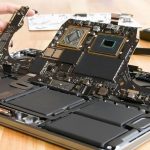
At APPLE REPAIR CENTRE GUWAHATI, we provide professional Touch Bar diagnosis and repair services for compatible MacBook Pro models. Our technicians inspect the Touch Bar, display, touch response, flex cable, connector, keyboard interaction, and related circuitry before recommending repair or replacement.
MacBook Pro Touch Bar Repair Services
- Touch Bar Diagnosis
- Touch Bar Repair
- Touch Bar Replacement
- Touch Bar Display Repair
- Touch Bar Touch Response Repair
- Touch Bar Not Working Repair
- Touch Bar Frozen Repair
- Touch Bar Flickering Diagnosis
- Touch Bar Brightness Diagnosis
- Touch Bar Flex Inspection
- Touch Bar Flex Replacement
- Touch Bar Connector Inspection
- Touch Bar Connector Repair
- Touch Bar Signal Testing
- Touch Bar Power Diagnosis
- Touch Bar Backlight Diagnosis
- Liquid Damage Inspection
- Corrosion Inspection
- Keyboard and Touch Bar Diagnosis
- Logic Board Touch Bar Circuit Diagnosis
- Component-Level Touch Bar Repair
- Precision Micro-Soldering
- Touch Bar Function Testing
- Complete Input System Testing
Common Signs of Touch Bar Problems
Your MacBook Pro may require Touch Bar repair if:
- Touch Bar does not turn on
- Touch Bar is completely black
- Touch Bar is frozen
- Touch Bar does not respond to touch
- Touch Bar flickers
- Touch Bar displays lines or visual abnormalities
- Touch Bar brightness is uneven
- Some Touch Bar controls do not work
- Touch Bar works intermittently
- Touch Bar stopped working after liquid exposure
- Touch Bar stopped working after physical impact
- Touch Bar problems appeared after previous repair
Causes of Touch Bar Problems
Touch Bar faults can be associated with:
- Touch Bar hardware failure
- Display failure
- Touch sensing failure
- Damaged flex cable
- Faulty connector
- Liquid exposure
- Corrosion
- Physical impact
- Power circuit problems
- Logic board faults
- Software or macOS issues
- Previous repair-related damage
- Internal component failure
Professional Touch Bar Diagnosis
A Touch Bar problem does not automatically require complete Touch Bar replacement. The issue may be related to software, the Touch Bar assembly, flex cable, connector, power circuit, or logic board.
Our technicians first determine whether the problem is hardware or software related and then inspect the Touch Bar’s power, display, touch response, and communication connections.
Where technically possible, damaged connectors, flex cables, solder joints, or board-level circuits may be repaired using precision micro-soldering. If the Touch Bar assembly is faulty beyond practical repair, replacement may be recommended.
Touch Bar Functions We Test
After repair, we test:
- Touch Bar display
- Touch response
- Brightness
- Control Strip
- Volume controls
- Brightness controls
- Function controls
- Keyboard interaction
- Touch Bar responsiveness
- Display consistency
- Flickering
- Overall Touch Bar operation
Liquid-Damaged Touch Bar Repair
Liquid entering the MacBook Pro can affect the Touch Bar, flex cables, connectors, and logic board circuits. Corrosion may also develop after the initial liquid exposure.
We inspect for:
- Liquid residue
- Corrosion
- Damaged connectors
- Flex cable damage
- Power circuit faults
- Logic board damage
Where technically possible, affected components and board-level circuits may be repaired.
MacBook Pro Models
The Touch Bar was included on specific MacBook Pro generations and configurations. Touch Bar designs, flex cables, connectors, and internal circuitry vary between models.
We inspect the exact MacBook Pro model before determining whether Touch Bar repair, component-level repair, or assembly replacement is appropriate.
Why Choose APPLE REPAIR CENTRE GUWAHATI
- Professional Touch Bar Diagnosis
- Experienced MacBook Repair Technicians
- Advanced Diagnostic Equipment
- Touch and Display Testing
- Flex and Connector Inspection
- Liquid Damage Inspection
- Component-Level Repair
- Precision Micro-Soldering
- Logic Board Diagnosis
- Complete Touch Bar Testing
- Transparent Repair Process
- Convenient Location in Ulubari, Guwahati
MacBook Pro Touch Bar Repair in Guwahati
A faulty Touch Bar can affect volume, brightness, function controls, shortcuts, and other supported MacBook Pro features. Our technicians carefully inspect the Touch Bar and related circuitry to determine whether the problem can be repaired or requires replacement.
After service, the Touch Bar is tested for display quality, touch response, brightness, controls, stability, and overall functionality.
Visit APPLE REPAIR CENTRE GUWAHATI
Address
Apple Repair Centre
Shima Plaza, 4th Floor
Opp. Prag News
Ulubari, Guwahati, Assam 781007
Phone
9127586561
8403921740
Website
Social Media
https://www.facebook.com/applerepaircentreguwahati781008
https://www.instagram.com/applerepaircentreguwahati
X
If your MacBook Pro Touch Bar is not working, frozen, flickering, not responding to touch, or affected by liquid or physical damage, visit APPLE REPAIR CENTRE GUWAHATI for professional Touch Bar Repair and complete Touch Bar diagnostics.