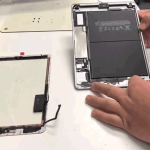
MacBook Pro Trackpad Repair in Guwahati | Professional Trackpad Service
Get professional MacBook Pro Trackpad Repair in Guwahati at APPLE REPAIR CENTRE GUWAHATI. We diagnose and repair unresponsive, clicking, gesture, cursor, pressure, liquid-damaged, and intermittent trackpad problems.

If your MacBook Pro trackpad is not responding, the cursor is moving incorrectly, clicking is not working, gestures have stopped, or the trackpad has become stiff or intermittent, professional MacBook Pro Trackpad Repair can help identify the underlying problem.
Trackpad problems can be caused by physical damage, battery swelling, liquid exposure, debris, trackpad flex or connector faults, software issues, or problems with related logic board circuitry.
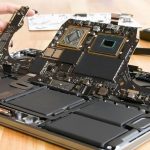
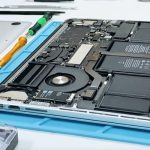
At APPLE REPAIR CENTRE GUWAHATI, we provide professional MacBook Pro trackpad diagnosis and repair services. Our technicians inspect the trackpad surface, click mechanism, flex cable, connector, battery condition, and related circuitry before recommending the appropriate repair.
MacBook Pro Trackpad Repair Services
- Complete Trackpad Diagnosis
- Trackpad Repair
- Trackpad Replacement
- Trackpad Click Repair
- Trackpad Cursor Problem Diagnosis
- Trackpad Gesture Repair
- Trackpad Multi-Touch Diagnosis
- Trackpad Pressure Sensitivity Testing
- Trackpad Haptic Feedback Diagnosis
- Trackpad Flex Cable Inspection
- Trackpad Flex Replacement
- Trackpad Connector Inspection
- Trackpad Connector Repair
- Trackpad Calibration Assessment
- Trackpad Liquid Damage Inspection
- Trackpad Corrosion Inspection
- Battery Swelling Inspection
- Logic Board Trackpad Circuit Diagnosis
- Component-Level Trackpad Circuit Repair
- Precision Micro-Soldering
- Trackpad Function Testing
- Complete Input Device Testing
Common Signs of MacBook Pro Trackpad Problems
Your MacBook Pro may require professional trackpad repair if:
- Trackpad does not respond
- Cursor does not move correctly
- Trackpad click does not work
- Trackpad feels stiff
- Trackpad clicks intermittently
- Multi-touch gestures do not work
- Two-finger scrolling does not work
- Trackpad becomes unresponsive randomly
- Haptic feedback is not working
- Trackpad is physically raised
- Trackpad problems appear after liquid exposure
- Trackpad stopped working after physical impact
Causes of MacBook Pro Trackpad Problems
Trackpad faults can be associated with:
- Trackpad hardware failure
- Damaged flex cable
- Faulty connector
- Liquid exposure
- Corrosion
- Physical impact
- Battery swelling
- Debris or contamination
- Software or macOS issues
- Logic board circuit faults
- Previous repair-related damage
- Internal component failure
Battery Swelling and Trackpad Problems
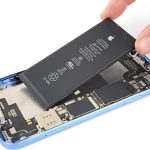
A swollen MacBook Pro battery can place pressure against the trackpad from underneath. This may cause the trackpad to feel raised, become difficult to click, or stop functioning normally.
If the trackpad appears physically raised or the bottom case is bulging, the battery should also be inspected before replacing the trackpad.
Professional Trackpad Diagnosis
A trackpad problem does not always mean that the trackpad assembly needs replacement. Our technicians first determine whether the problem is caused by software, the trackpad itself, the flex cable, connector, battery, or logic board circuitry.
Where technically possible, damaged connectors, flex cables, solder joints, or board-level circuits may be repaired using precision micro-soldering.
If the trackpad assembly is physically or internally damaged beyond practical repair, replacement may be recommended according to the MacBook Pro model.
Trackpad Functions We Test
After repair, we can test:
- Cursor movement
- Single-click
- Secondary click
- Two-finger scrolling
- Multi-touch gestures
- Pinch and zoom
- Swipe gestures
- Haptic feedback
- Click pressure
- Pointer accuracy
- Trackpad responsiveness
MacBook Pro Models
Trackpad designs, click mechanisms, flex cables, and internal connections vary between MacBook Pro generations and configurations. We diagnose compatible Intel and Apple Silicon MacBook Pro models and determine the appropriate repair procedure based on the exact device.
Why Choose APPLE REPAIR CENTRE GUWAHATI
- Professional Trackpad Diagnosis
- Experienced MacBook Repair Technicians
- Advanced Diagnostic Equipment
- Trackpad Function Testing
- Flex and Connector Inspection
- Battery Swelling Inspection
- Liquid Damage Inspection
- Component-Level Repair
- Precision Micro-Soldering
- Logic Board Diagnosis
- Complete Input Device Testing
- Transparent Repair Process
- Convenient Location in Ulubari, Guwahati
MacBook Pro Trackpad Repair in Guwahati
A faulty trackpad can make everyday MacBook Pro use difficult, especially when clicking, scrolling, gestures, or cursor control are affected. Our technicians carefully diagnose the trackpad and related components to determine whether repair or replacement is appropriate.
After repair, the trackpad is tested for cursor movement, clicking, gestures, haptic feedback where applicable, and overall input performance.
Visit APPLE REPAIR CENTRE GUWAHATI
Address
Apple Repair Centre
Shima Plaza, 4th Floor
Opp. Prag News
Ulubari, Guwahati, Assam 781007
Phone
9127586561
8403921740
Website
Social Media
https://www.facebook.com/applerepaircentreguwahati781008
https://www.instagram.com/applerepaircentreguwahati
X
If your MacBook Pro trackpad is unresponsive, not clicking, inaccurate, stiff, or affected by liquid or battery swelling, visit APPLE REPAIR CENTRE GUWAHATI for professional Trackpad Repair and complete input device diagnostics.