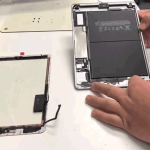
MacBook Repair in Guwahati: Common Problems and Repair Options
A MacBook is often used for work, business, studies, creative projects, communication, and everyday tasks. When it starts running slowly, stops charging, develops a display problem, or refuses to turn on, even a small issue can become disruptive.

MacBook problems can have many different causes. Some can be related to software or settings, while others may involve the battery, display, keyboard, charging system, logic board, or other internal components.
If you are looking for MacBook repair in Guwahati, understanding the common problems and available repair options can help you decide what to do next.
Common MacBook Problems
1. MacBook Running Slow
A MacBook may become slower because of low storage, demanding applications, background processes, overheating, software problems, or hardware issues.
If your MacBook takes a long time to start, applications freeze frequently, or basic tasks have become noticeably slower, the device may need a performance diagnosis.
A proper inspection can help determine whether the problem is related to storage, software, overheating, battery condition, or another component.
2. MacBook Not Turning On
A MacBook that does not turn on can have several possible causes.
Common possibilities include:
- Battery failure
- Charging problems
- Power adapter issues
- Logic board faults
- Liquid damage
- Internal component failure
- Display problems
If the MacBook shows no response even after checking the power connection, professional diagnosis is recommended.
3. MacBook Battery Draining Quickly
MacBook batteries naturally lose capacity with age and use.
If the battery is draining much faster than before, the MacBook may require a battery health check.
Other symptoms can include frequent charging, unexpected shutdowns, poor battery backup, overheating, or the MacBook working significantly better while connected to power.
4. MacBook Not Charging
Charging problems can be caused by the charger, cable, power adapter, charging port, battery, or internal charging system.
Before assuming that the MacBook needs a charging repair, try a suitable power source and inspect the charging accessories.
If the problem continues, professional diagnosis can identify whether the issue is with the accessories or the MacBook itself.
5. MacBook Screen Flickering or Showing Lines
Display problems can include:
- Screen flickering
- Vertical lines
- Horizontal lines
- Black spots
- Screen going black
- Unusual colours
- Display distortion
These symptoms can be caused by the display, internal connections, physical damage, liquid exposure, or other hardware faults.
A display diagnosis can help determine whether the problem is limited to the screen or involves another component.
6. MacBook Keyboard Not Working
Keyboard problems can range from individual keys not responding to the entire keyboard becoming unresponsive.
Dust, debris, liquid exposure, physical damage, software problems, and internal keyboard faults can all contribute.
If the problem started after a liquid spill, professional inspection is particularly important because liquid may have reached other internal components.
7. MacBook Trackpad Problems
A trackpad may become unresponsive, difficult to click, inconsistent, or unusually slow.
Possible causes include software problems, physical damage, internal connections, or battery swelling.
If the trackpad appears raised or becomes difficult to click, the MacBook should be inspected promptly.
8. MacBook Overheating
MacBooks can become warm during demanding tasks such as video editing, gaming, rendering, or other processor-intensive work.
However, excessive heating during light usage can indicate a problem.
Possible causes include dust, demanding background processes, battery issues, ventilation problems, or internal hardware faults.
9. MacBook Liquid Damage
Water, coffee, tea, and other liquids can cause serious damage to a MacBook.
Liquid may affect:
- Keyboard
- Trackpad
- Battery
- Charging system
- Display
- Logic board
- Internal connectors
If liquid is spilled on your MacBook, disconnect power, shut it down if possible, and avoid repeatedly turning it on.
Professional inspection can help identify the extent of the damage.
10. MacBook Wi-Fi or Connectivity Problems
Connectivity problems can make a MacBook difficult to use for work or communication.
If Wi-Fi, Bluetooth, or other connectivity features stop working, the issue may be related to software, settings, antenna components, or internal hardware.
Testing the MacBook with different networks and devices can help determine whether the issue is device-specific.
MacBook Repair Options
The appropriate repair depends on the actual cause of the problem.
Battery Repair or Replacement
If the battery has significantly degraded or developed a fault, battery service may be required.
Display Repair
A damaged or malfunctioning display may require display-related repair depending on the MacBook model and type of damage.
Keyboard Repair
Keyboard problems can sometimes be caused by debris or other simple issues, while damaged keyboards may require component replacement.
Charging Repair
Charging problems may require inspection of the charger, cable, charging port, battery, or internal charging system.
Liquid Damage Inspection
Liquid-damaged MacBooks require careful inspection because several components may be affected.
Logic Board Diagnosis
If the MacBook does not turn on, randomly shuts down, overheats, or has multiple functions failing, logic board or internal hardware diagnosis may be necessary.
Why Diagnosis Is Important
A MacBook symptom does not always identify the actual problem.
For example, a MacBook that does not turn on could have a battery problem, charging issue, display fault, or logic board problem.
Similarly, a MacBook that runs slowly could have a storage issue, software problem, overheating issue, or hardware fault.
Professional diagnosis helps identify the actual cause before deciding on a repair.
When Should You Visit a MacBook Repair Centre?
Consider getting your MacBook professionally checked if:
- It does not turn on
- It is running unusually slowly
- Battery backup has become very poor
- It is not charging
- The screen is flickering
- Lines appear on the display
- Keyboard keys stop working
- The trackpad becomes unresponsive
- The MacBook overheats during light use
- It has suffered liquid damage
- It shuts down unexpectedly
- Multiple functions stop working
MacBook Repair in Guwahati
If your MacBook has developed a hardware or performance problem, getting an accurate diagnosis can help you understand whether repair is practical.
APPLE REPAIR CENTRE GUWAHATI provides MacBook diagnostics and repair services in Ulubari, Guwahati. Services include battery problems, display issues, keyboard problems, charging faults, liquid damage inspection, overheating, power problems, and other MacBook hardware concerns.
Our Business Details
APPLE REPAIR CENTRE GUWAHATI
Apple Repair Centre, Shima Plaza, 4th Floor, Opp. Prag News, Ulubari, Guwahati, Assam 781007
Phone: 9127586561, 8403921740
Website: https://www.applerepairguwahati.com
Connect With Us
Instagram: https://instagram.com/applerepaircentreguwahati
Facebook: https://facebook.com/
Frequently Asked Questions
Where can I get MacBook repair in Guwahati?
You can visit APPLE REPAIR CENTRE GUWAHATI at Shima Plaza, 4th Floor, Opp. Prag News, Ulubari, Guwahati for MacBook diagnosis and repair services.
What MacBook problems can be repaired?
Common repair requirements include battery problems, display issues, charging faults, keyboard problems, trackpad issues, overheating, liquid damage, power problems, and other hardware faults.
How much does MacBook repair cost in Guwahati?
The cost depends on the MacBook model, problem, damaged component, and complexity of the repair. A diagnosis can help determine the actual repair requirement.
Should I repair an old MacBook?
It depends on the device’s overall condition and repair cost. If the MacBook is otherwise suitable for your needs, repairing a specific component may be more practical than replacing the entire device.
Can a liquid-damaged MacBook be repaired?
Depending on the extent of liquid exposure and the components affected, repair may be possible. Professional inspection is recommended as soon as possible after a significant spill.
Why is my MacBook not turning on?
Possible causes include battery failure, charging problems, power-related faults, liquid damage, display problems, or internal hardware issues. A diagnostic inspection can help identify the cause.
Where is APPLE REPAIR CENTRE GUWAHATI located?
APPLE REPAIR CENTRE GUWAHATI is located at Shima Plaza, 4th Floor, Opp. Prag News, Ulubari, Guwahati, Assam 781007.