Why Is My iPhone Battery Draining So Fast? 10 Things to Check
Is your iPhone battery draining much faster than it used to? If you are charging your iPhone several times a day, noticing sudden battery percentage drops, or finding that the phone becomes warm during normal use, there could be several reasons behind the problem.

Battery drain does not always mean that the battery itself needs replacement. Background applications, screen brightness, poor network coverage, location services, software issues, an aging battery, and hardware problems can all affect battery performance.
If you are using an iPhone in Guwahati and experiencing unusual battery drain, here are 10 things you should check.
1. Check Which Apps Are Using Your Battery
Your iPhone can show which applications are consuming the most battery.
Go to the Battery section in your iPhone settings and check your battery usage. If a particular application is consuming an unusually large amount of power, it may be contributing to the problem.
Updating the application or reducing unnecessary background activity may help.
2. Check Your iPhone Battery Health
An iPhone battery naturally loses capacity over time. As the battery ages, you may notice shorter usage time and more frequent charging.
Check the Battery Health section on your iPhone to understand the condition of your battery.
If the battery has significantly degraded and your phone is no longer providing adequate backup, professional battery inspection may be recommended.
3. Reduce Excessive Screen Brightness
The iPhone display can consume a considerable amount of battery, particularly when the brightness remains high for long periods.
Using automatic brightness and reducing unnecessary screen-on time can help improve battery life.
4. Check Background App Activity
Some applications continue performing tasks when you are not actively using them.
Social media, navigation, messaging, and other applications can consume additional battery through background activity.
Review your settings and restrict background activity for applications that do not need it.
5. Check Your Mobile Network Signal
Poor network coverage can sometimes increase battery consumption because the iPhone may work harder to maintain a connection.
If you notice that the battery drains particularly quickly in areas with weak mobile coverage, network conditions may be contributing to the problem.
6. Review Location Services
Applications that frequently access your location can consume additional battery.
Check which applications have permission to use location services and remove unnecessary access where appropriate.
7. Keep Your iPhone Software Updated
Software updates can include bug fixes, performance improvements, and other changes that may affect battery performance.
Keeping your iPhone updated can help ensure that you are using the latest available software for your device.
8. Watch for Excessive Heating
An iPhone that becomes unusually hot during normal use should not be ignored.
Gaming, demanding applications, charging, direct sunlight, poor network conditions, software problems, and hardware faults can all contribute to excessive heat.
If your iPhone repeatedly overheats without heavy usage, consider having it professionally inspected.
9. Check for Physical Battery Damage
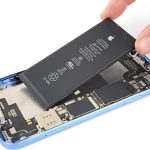
Physical battery damage can be more serious than normal battery degradation.
If you notice the screen lifting from the body, unusual swelling, excessive heating, or visible physical damage, stop using the device and seek professional assistance.
Do not attempt to open or puncture an iPhone battery yourself.
10. Consider a Battery or Hardware Problem
If you have checked your settings but your iPhone continues to lose battery unusually quickly, the problem could be related to the battery or another internal component.
Charging-system problems, power-management issues, damaged components, or other hardware faults can sometimes affect battery performance.
A proper diagnostic check can help identify the actual cause before deciding on a repair.
When Should You Get Your iPhone Battery Checked?
You should consider professional inspection if you experience:
- Very fast battery percentage drops
- Frequent charging during the day
- Unexpected shutdowns
- Excessive heating
- Sudden changes in battery percentage
- Poor battery backup despite light usage
- Charging problems
- Battery swelling or physical damage
- Battery drain that continues after checking normal settings
iPhone Battery Repair and Diagnosis in Guwahati
If your iPhone battery is draining unusually fast, the first step should be finding out whether the problem is related to battery condition, software, charging, or another internal component.
APPLE REPAIR CENTRE GUWAHATI provides iPhone diagnostic and repair services in Ulubari, Guwahati. Customers can have their devices checked for battery-related problems, charging issues, display problems, camera problems, speaker issues, motherboard-related faults, and other common iPhone problems.
Our Business Details
APPLE REPAIR CENTRE GUWAHATI
Apple Repair Centre, Shima Plaza, 4th Floor, Opp. Prag News, Ulubari, Guwahati, Assam 781007
Phone: 9127586561, 8403921740
Website: https://www.applerepairguwahati.com
Connect With Us
Instagram: https://instagram.com/applerepaircentreguwahati
Facebook: https://facebook.com/
Frequently Asked Questions
Why is my iPhone battery draining so fast?
Fast battery drain can be caused by an aging battery, background applications, high screen brightness, poor network coverage, location services, software issues, overheating, or hardware problems.
How can I check my iPhone battery condition?
You can check your battery information through the Battery Health section in your iPhone settings. If you are experiencing unusual battery performance, a professional inspection can provide additional information.
Does fast battery drain always mean I need a new battery?
No. Battery drain can have several causes. It is better to identify the reason before replacing the battery.
Can an iPhone battery problem cause overheating?
A battery problem can contribute to unusual heating, although overheating can also have other causes. Repeated or excessive heating should be professionally checked.
Where can I get my iPhone battery checked in Guwahati?
You can visit APPLE REPAIR CENTRE GUWAHATI at Shima Plaza, 4th Floor, Opp. Prag News, Ulubari, Guwahati, Assam for iPhone diagnostics and repair services.