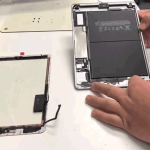
iPad Screen Cracked? Repair or Replace: What Makes More Sense?
A cracked iPad screen can happen unexpectedly. A simple drop from a table, accidental pressure inside a bag, or an impact on a hard surface can leave the display cracked or completely unusable.

When this happens, many iPad users in Guwahati wonder whether they should repair the screen or replace the entire iPad.
In many cases, repairing a damaged iPad can be a practical option, particularly when the device is otherwise working properly. However, the right decision depends on the extent of the damage, the iPad model, and the condition of other components.
Here are some important things to consider before making a decision.
1. Check How Serious the Screen Damage Is
Not every cracked iPad screen has the same level of damage.
A small crack may affect only the outer glass, while a more serious impact can damage the display and touchscreen underneath.
Look for signs such as:
- Cracked or shattered glass
- Black spots
- Vertical or horizontal lines
- Flickering
- Discolouration
- Touchscreen problems
- Unresponsive areas
- Completely black display
If the display and touch are still working normally, the damage may be less extensive than it initially appears.
2. Is the Touchscreen Still Working?
Touch functionality is an important factor when assessing an iPad screen problem.
Test the entire display and check whether every area responds properly.
If some sections do not respond, the touchscreen may have been damaged along with the glass or display assembly.
Ghost touches, where the iPad registers touches that you did not make, are another sign that the screen requires attention.
3. Check the Display for Lines and Black Spots
A cracked screen accompanied by lines, black patches, flickering, or unusual colours may indicate damage to the display panel.
In such cases, simply repairing the outer glass may not resolve the problem.
A professional inspection can determine whether the issue is limited to the glass or involves the complete display assembly.
4. Check the iPad Frame
A major fall can damage the frame as well as the screen.
Look for:
- Bent edges
- Dents
- Gaps around the screen
- Distorted corners
- Separation between the display and frame
A badly bent frame may affect how a replacement screen fits and can indicate that the iPad suffered a significant impact.
5. Check Other Functions After the Drop
A screen-breaking accident can sometimes affect other components.
Before deciding whether to repair or replace the iPad, check:
- Cameras
- Speakers
- Microphone
- Charging
- Wi-Fi
- Bluetooth
- Buttons
- Touchscreen
- Battery performance
If everything else works normally, screen repair may be a sensible option.
6. Consider the Age and Condition of Your iPad
The age of the iPad is another factor to consider.
If the iPad is relatively new and works well apart from the damaged screen, repairing it may make more sense than purchasing another device.
If the iPad is older and already has battery, charging, performance, or other hardware problems, it is worth considering the overall repair cost before making a decision.
7. Compare the Repair Cost With Replacement
The cost of iPad screen repair varies depending on the model and extent of the damage.
Before making a decision, consider:
- Your iPad model
- Display damage
- Touchscreen condition
- Frame condition
- Battery condition
- Other existing problems
- Overall value of the device
A professional diagnosis and repair estimate can help you make a more informed decision.
8. Do Not Ignore a Small Crack
A small crack can become larger over time.
Repeated pressure, another accidental drop, or exposure to moisture can worsen existing damage.
A cracked screen can also make everyday use uncomfortable and may expose the device to additional problems depending on the location and severity of the damage.
If the crack is spreading or affecting touch and display performance, consider getting it checked.
9. Protect Your Data Before Repair
If the iPad is still working normally, back up important information before handing it over for repair.
Important data may include:
- Photos
- Videos
- Contacts
- Documents
- Notes
- App data
- Other personal files
Having a current backup provides additional protection if the device develops another problem during or after the repair process.
10. Repair or Replace? A Simple Comparison
Repair may make more sense when:
- The iPad works properly apart from the screen
- The battery is in reasonable condition
- The frame is not badly damaged
- The device meets your current requirements
- The repair cost is reasonable compared with replacement
Replacement may be worth considering when:
- The iPad has multiple major hardware problems
- The frame is severely bent
- The battery is significantly degraded
- The device already has serious performance issues
- The total repair cost is very high compared with the device’s value
There is no single answer for every iPad. The condition of the individual device should be assessed first.
What Should You Do After Cracking Your iPad Screen?
If the iPad still works, avoid putting unnecessary pressure on the damaged display.
You can:
- Back up important data.
- Check whether touch works across the entire screen.
- Check for lines, black spots, or flickering.
- Test cameras, speakers, microphone, and charging.
- Check whether the frame is bent.
- Avoid exposing the damaged device to moisture.
- Arrange a professional inspection and repair estimate.
iPad Screen Repair in Guwahati
A cracked iPad screen does not automatically mean that you need to replace the entire device. If the iPad is otherwise working well, screen repair may be a practical option.
APPLE REPAIR CENTRE GUWAHATI provides iPad display diagnosis and repair services in Ulubari, Guwahati. Devices can be inspected for cracked screens, touchscreen problems, display lines, black spots, frame damage, accidental damage, and other hardware issues.
Our Business Details
APPLE REPAIR CENTRE GUWAHATI
Apple Repair Centre, Shima Plaza, 4th Floor, Opp. Prag News, Ulubari, Guwahati, Assam 781007
Phone: 9127586561, 8403921740
Website: https://www.applerepairguwahati.com
Connect With Us
Instagram: https://instagram.com/applerepaircentreguwahati
Facebook: https://facebook.com/
Frequently Asked Questions
Should I repair my cracked iPad screen or buy a new iPad?
If the iPad is otherwise working properly, screen repair can be a practical option. If the device has several other major problems, replacement may be worth considering.
Can I use an iPad with a cracked screen?
You may be able to use it if the display and touchscreen are functioning, but continued use can allow the damage to worsen. A professional inspection is recommended if the crack is significant.
Does a cracked iPad screen mean the display is damaged?
Not necessarily. The outer glass may be cracked while the display and touch functionality continue working. A technician can determine the extent of the damage.
Why are there black spots on my cracked iPad screen?
Black spots can indicate damage to the display panel beneath the glass, particularly after a significant impact.
Can a cracked iPad screen cause touchscreen problems?
Yes. A strong impact can damage the touchscreen and may result in unresponsive areas or unexpected touches.
Can a bent iPad frame be repaired?
The repair options depend on the severity and location of the damage. The frame should be inspected before a screen replacement is carried out.
Where can I get my cracked iPad checked in Guwahati?
You can visit APPLE REPAIR CENTRE GUWAHATI at Shima Plaza, 4th Floor, Opp. Prag News, Ulubari, Guwahati for iPad screen diagnosis and repair services.