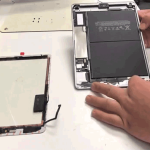
iPhone Face ID Not Working? Possible Causes and Repair Options
Is Face ID not working on your iPhone? Does your iPhone repeatedly ask you to enter the passcode, fail to recognise your face, or show a message that Face ID is unavailable?

Face ID problems can be caused by something simple, such as an obstructed camera area or incorrect settings. However, if Face ID stopped working after a drop, screen damage, liquid exposure, or a previous repair, the issue may require professional diagnosis.
Here are some common reasons why Face ID may stop working and what you can check.
1. Check the TrueDepth Camera Area
Face ID relies on the TrueDepth camera system located around the front camera area.
Dust, dirt, fingerprints, or certain screen protectors can interfere with the sensors.
Gently clean the area with a soft, lint-free cloth and make sure the sensors are not covered.
2. Make Sure Your Face Is Clearly Visible
Face ID needs to see your face properly.
Make sure your eyes, nose, and mouth are not covered by clothing, accessories, or anything else that significantly obstructs your face.
Try using Face ID while looking directly at the iPhone.
3. Check Your Face ID Settings
A temporary settings issue can sometimes prevent Face ID from working as expected.
Check the Face ID settings on your iPhone and make sure Face ID is enabled for the functions where you want to use it.
You may also try setting up Face ID again if the option is available.
4. Restart Your iPhone
A temporary software problem can occasionally affect Face ID.
Restart your iPhone and test Face ID again after the device has restarted.
If Face ID continues to fail, further troubleshooting may be necessary.
5. Check for iOS Updates
Software updates can contain bug fixes and improvements that may affect device features.
Check whether an appropriate iOS update is available for your iPhone.
If Face ID stopped working immediately after another event, such as a fall or repair, however, the problem may be hardware-related rather than software-related.
6. Face ID Problems After a Screen Replacement
Face ID can be affected after screen damage or a screen repair if components around the front sensor area are damaged or improperly handled.
If Face ID was working before a screen repair but stopped afterward, the device should be inspected by a qualified technician.
The exact repair possibilities depend on the iPhone model and the affected components.
7. Face ID Not Working After a Drop
An accidental fall can damage components associated with the Face ID system.
Even if the screen still works normally, internal components may have been affected.
If Face ID stopped working immediately after an impact, professional diagnosis can help determine whether physical damage is responsible.
8. Face ID Problems After Water Exposure
Liquid exposure can affect the front sensor system and other internal components.
If Face ID stopped working after the iPhone was exposed to water, rain, or another liquid, avoid assuming that the problem is simply a software issue.
A liquid-damage inspection can help identify potential internal problems.
9. Face ID Is Temporarily Disabled
There are situations where an iPhone may require the passcode instead of Face ID.
For example, after certain security-related events or a restart, the iPhone may require the passcode before Face ID becomes available again.
This does not necessarily indicate a hardware fault.
10. TrueDepth or Internal Hardware Problem
If you have tried basic troubleshooting and Face ID remains unavailable, there may be a problem with the TrueDepth camera system or another internal component.
A professional diagnostic inspection can help determine the cause before any repair is attempted.
Signs That Your Face ID Needs Professional Attention
Consider getting your iPhone checked if:
- Face ID stopped working suddenly
- Face ID became unavailable after a drop
- Face ID stopped working after screen damage
- Face ID stopped working after a previous repair
- Face ID stopped working after liquid exposure
- The TrueDepth camera area appears damaged
- Face ID repeatedly fails despite correct settings
- The iPhone reports that Face ID is unavailable
What You Should Do Before Visiting a Repair Centre
Try these basic steps first:
- Clean the front sensor area gently.
- Make sure your face is clearly visible.
- Restart the iPhone.
- Check Face ID settings.
- Check for an appropriate iOS update.
- Test whether the front camera works normally.
- Consider whether the issue started after a drop, screen damage, repair, or liquid exposure.
If Face ID still does not work, professional diagnosis is recommended.
iPhone Face ID Diagnosis in Guwahati
Face ID is a complex security feature, so the correct cause should be identified before attempting any repair.
APPLE REPAIR CENTRE GUWAHATI provides iPhone diagnostics and repair services in Ulubari, Guwahati. Devices can be inspected for Face ID-related problems, front camera issues, screen damage, liquid exposure, and other hardware faults.
Our Business Details
APPLE REPAIR CENTRE GUWAHATI
Apple Repair Centre, Shima Plaza, 4th Floor, Opp. Prag News, Ulubari, Guwahati, Assam 781007
Phone: 9127586561, 8403921740
Website: https://www.applerepairguwahati.com
Connect With Us
Instagram: https://instagram.com/applerepaircentreguwahati
Facebook: https://facebook.com/
Frequently Asked Questions
Why is Face ID not working on my iPhone?
Face ID can stop working because of sensor obstruction, software issues, physical damage, liquid exposure, screen damage, or problems with the TrueDepth camera system.
Can a cracked screen affect Face ID?
Yes. Damage around the front sensor and TrueDepth camera area can affect Face ID, particularly after a significant impact.
Why did Face ID stop working after my iPhone was dropped?
A drop can damage components associated with the Face ID system even when the screen appears to be working normally. Professional inspection can help identify the cause.
Can water damage cause Face ID to stop working?
Yes. Liquid exposure can affect the TrueDepth camera system and other internal components.
Can Face ID be repaired?
The repair possibilities depend on the iPhone model and the cause of the problem. A proper diagnosis is recommended before deciding on a repair.
Where can I get my iPhone Face ID checked in Guwahati?
You can visit APPLE REPAIR CENTRE GUWAHATI at Shima Plaza, 4th Floor, Opp. Prag News, Ulubari, Guwahati for iPhone Face ID diagnostics and repair services.