iPhone Speaker Sound Is Low or Distorted: What Could Be Wrong?
Is your iPhone speaker suddenly quieter than normal? Are calls difficult to hear, music sounding distorted, or videos producing crackling or muffled audio?

Speaker problems can happen for several reasons. Dust or debris around the speaker openings, incorrect settings, software issues, liquid exposure, or physical damage can all affect sound quality.
If your iPhone speaker is not performing normally, here are some common causes to check.
1. Check the Volume Level
Start with the simplest possibility: make sure the volume is turned up.
Play music or a video and adjust the volume using the physical buttons. Also check the volume while making a phone call, as call volume can behave differently from media volume.
If the sound remains unusually low even at a high volume, continue with the other checks below.
2. Check the Speaker Openings
Dust, lint, and other debris can collect around the speaker openings over time.
This buildup can reduce the amount of sound coming from the speaker and make audio appear muffled.
Gently clean the exterior with an appropriate soft, dry cloth. Avoid inserting sharp objects or liquids into the speaker openings.
3. Remove Accessories That May Block the Speaker
Some cases, protective accessories, or poorly fitted screen protectors can partially cover speaker openings.
Remove the case temporarily and test the speaker again.
If the sound becomes normal after removing an accessory, the accessory may have been interfering with the speaker output.
4. Check Your Audio Settings
Review your iPhone’s audio-related settings and make sure the sound is not being directed to another device.
If Bluetooth headphones, speakers, or another audio device are connected, your iPhone may send audio there instead of through the built-in speaker.
Turn off unnecessary Bluetooth connections and test the speaker again.
5. Test Different Types of Audio
Try more than one audio source.
Test:
- Music
- Videos
- Ringtones
- Speakerphone calls
- Voice recordings
- Notification sounds
If only one application produces low or distorted sound, the problem may be related to that application rather than the iPhone speaker itself.
6. Restart Your iPhone
A temporary software issue can sometimes affect audio output.
Restart the iPhone and test the speaker again.
If the sound returns to normal after restarting but the problem repeatedly comes back, further investigation may be required.
7. Check for Liquid Exposure
Liquid can affect the speaker and other internal components.
If your iPhone has recently been exposed to rain, water, or another liquid, you may notice muffled or distorted audio.
Water trapped around the speaker area can temporarily affect sound, while liquid entering the device can potentially cause longer-term internal damage.
If audio problems continue after liquid exposure, professional inspection is recommended.
8. Listen for Crackling or Distortion
If the speaker produces crackling, buzzing, rattling, or distorted audio even at moderate volume levels, the speaker hardware may be damaged.
This can happen after:
- Accidental drops
- Physical impact
- Liquid exposure
- Long-term wear
- Internal component problems
A technician can inspect the speaker and related components to determine the cause.
9. Check Whether the Problem Is Limited to Calls
If music and videos sound normal but phone calls are difficult to hear, the issue may involve the earpiece speaker rather than the main loudspeaker.
Try testing both normal calls and speakerphone mode.
If speakerphone sounds normal but the earpiece is very quiet, the earpiece area may need inspection.
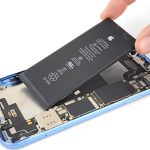
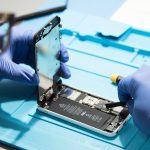
10. Consider a Hardware Problem
If your iPhone speaker remains low or distorted after basic troubleshooting, there may be a hardware fault.
Possible causes include:
- Damaged speaker module
- Blocked speaker openings
- Liquid damage
- Impact damage
- Internal connection problems
- Audio-related component faults
Professional diagnosis can help identify the actual cause before replacing any component.
Signs Your iPhone Speaker Needs Professional Attention
Consider getting your iPhone checked if:
- Speaker volume remains very low
- Sound is distorted at normal volume
- Speaker produces crackling or buzzing
- Speakerphone audio is unclear
- Earpiece volume is unusually low
- The problem started after a drop
- The problem started after water exposure
- Audio problems continue after restarting the device
What You Can Check at Home
Before visiting a repair centre, try these simple steps:
- Increase the volume.
- Remove the phone case.
- Check the speaker openings.
- Test different audio sources.
- Disconnect unnecessary Bluetooth devices.
- Restart your iPhone.
- Consider whether the phone was recently exposed to water.
- Test both the earpiece and speakerphone.
If the problem continues, professional diagnosis is recommended.
iPhone Speaker Repair and Diagnosis in Guwahati
Low or distorted sound does not always mean that the speaker itself needs replacement. The problem may be caused by debris, liquid exposure, software, physical damage, or another internal component.
APPLE REPAIR CENTRE GUWAHATI provides iPhone speaker diagnostics and repair services in Ulubari, Guwahati. Devices can be checked for speaker problems, earpiece issues, microphone faults, liquid damage, audio-related problems, and other hardware concerns.
Our Business Details
APPLE REPAIR CENTRE GUWAHATI
Apple Repair Centre, Shima Plaza, 4th Floor, Opp. Prag News, Ulubari, Guwahati, Assam 781007
Phone: 9127586561, 8403921740
Website: https://www.applerepairguwahati.com
Connect With Us
Instagram: https://instagram.com/applerepaircentreguwahati
Facebook: https://facebook.com/
Frequently Asked Questions
Why is my iPhone speaker so quiet?
Low speaker volume can be caused by debris, blocked speaker openings, audio settings, software issues, liquid exposure, or speaker hardware problems.
Why does my iPhone speaker sound distorted?
Crackling or distorted audio can result from physical speaker damage, liquid exposure, debris, or internal audio-related problems.
Can water damage affect the iPhone speaker?
Yes. Liquid around or inside the speaker area can cause muffled or distorted audio and may lead to additional internal problems.
Why can I hear music but not phone calls clearly?
If media sounds normal but regular calls are quiet, the earpiece speaker may be affected. Testing both normal calls and speakerphone mode can help identify where the problem occurs.
Can an iPhone speaker be repaired?
Depending on the cause and iPhone model, the problem may be resolved through cleaning, component repair, or speaker replacement.
Where can I get my iPhone speaker checked in Guwahati?
You can visit APPLE REPAIR CENTRE GUWAHATI at Shima Plaza, 4th Floor, Opp. Prag News, Ulubari, Guwahati for iPhone speaker diagnosis and repair services.