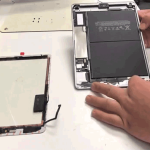
iPhone Microphone Not Working During Calls? Here’s What to Check
Can people hear you clearly when you make a call on your iPhone? If the other person cannot hear you, your voice sounds muffled, or the microphone works in one app but not another, there could be several possible causes.

Microphone problems can be caused by blocked microphone openings, software settings, app permissions, Bluetooth connections, liquid exposure, physical damage, or an internal hardware fault.
Before assuming that your iPhone microphone needs repair, try these checks.
1. Check the Microphone Openings
Your iPhone has multiple microphones positioned in different areas of the device.
Dust, lint, and debris can accumulate around the microphone openings and affect sound quality.
Inspect the microphone areas and gently clean the exterior using a suitable soft, dry cloth.
Avoid inserting sharp objects into the openings because this can damage internal components.
2. Check Your Phone Case
A poorly fitted or damaged case can partially block a microphone opening.
Remove the case temporarily and make a test call.
If the other person can hear you normally after removing the case, the accessory may have been interfering with the microphone.
3. Test the Microphone With a Voice Recording
Use the Voice Memos app or another suitable recording application to make a short recording.
Play it back and listen to your voice.
If the recording is also very quiet, distorted, or completely silent, the problem may be related to the microphone or another hardware component.
4. Check Microphone Permissions
Some applications require microphone permission to record or transmit audio.
Check your iPhone privacy settings and make sure the relevant application has permission to use the microphone.
If the microphone works normally during regular calls but not in a particular application, an app permission or software issue may be responsible.
5. Check Bluetooth Connections
Your iPhone may send call audio through a connected Bluetooth device instead of the built-in microphone and speaker.
Check whether wireless headphones, a car system, or another Bluetooth accessory is connected.
Disconnect unnecessary Bluetooth devices and make another test call.
6. Test Speakerphone Mode
Make a call and switch between the normal earpiece and speakerphone modes.
If your voice is not heard normally in one mode but works in another, this information can help identify which microphone or audio system may be affected.
Different iPhone functions can use different microphones.
7. Restart Your iPhone
A temporary software problem can sometimes affect microphone functionality.
Restart your iPhone and test the microphone again.
If the microphone works temporarily after restarting but repeatedly stops working later, the issue may require further diagnosis.
8. Check for iOS Software Issues
Software updates can include bug fixes and improvements that may resolve certain device problems.
Check whether an appropriate iOS update is available for your iPhone.
If the microphone stopped working immediately after physical damage or liquid exposure, however, the issue may be hardware-related.
9. Check for Liquid Damage
Liquid exposure can affect microphones and other internal components.
If your iPhone has recently been exposed to rain, water, or another liquid and people suddenly cannot hear you properly, liquid damage could be contributing to the problem.
Other symptoms may include:
- Speaker distortion
- Charging problems
- Camera problems
- Unexpected shutdowns
- Fast battery drain
- Overheating
If microphone problems occur after liquid exposure, professional inspection is recommended.
10. Consider Physical or Internal Hardware Damage
An accidental drop can damage microphone components or other parts of the audio system.
If the microphone stopped working immediately after an impact, the phone should be inspected for physical or internal damage.
Possible causes can include:
- Damaged microphone component
- Blocked microphone opening
- Liquid damage
- Internal connection problems
- Audio-related hardware faults
- Motherboard-related issues
A proper diagnostic inspection can help determine the actual cause.
Why Can People Hear Me Poorly During Calls?
If the other person says that your voice is:
- Very quiet
- Muffled
- Distorted
- Intermittent
- Full of static
- Completely silent
the microphone system may require inspection.
However, poor cellular network quality can also affect call audio. Test the microphone using a voice recording or another application to help determine whether the problem is with the phone itself.
When Should You Get Your iPhone Microphone Checked?
Professional inspection is recommended if:
- The microphone does not work during calls
- Voice recordings are silent
- Your voice sounds distorted
- The microphone works inconsistently
- The problem started after a drop
- The problem started after liquid exposure
- Multiple audio functions are affected
- Basic troubleshooting does not solve the problem
iPhone Microphone Repair and Diagnosis in Guwahati
If people cannot hear you during iPhone calls, identifying the actual cause is important before replacing any component.
APPLE REPAIR CENTRE GUWAHATI provides iPhone microphone diagnostics and repair services in Ulubari, Guwahati. Devices can be checked for microphone problems, speaker issues, charging problems, liquid damage, physical damage, and other audio-related hardware faults.
Our Business Details
APPLE REPAIR CENTRE GUWAHATI
Apple Repair Centre, Shima Plaza, 4th Floor, Opp. Prag News, Ulubari, Guwahati, Assam 781007
Phone: 9127586561, 8403921740
Website: https://www.applerepairguwahati.com
Connect With Us
Instagram: https://instagram.com/applerepaircentreguwahati
Facebook: https://facebook.com/
Frequently Asked Questions
Why can’t people hear me during iPhone calls?
The problem can be caused by a blocked microphone, case obstruction, microphone permission settings, Bluetooth connections, software issues, liquid exposure, or hardware damage.
How can I test my iPhone microphone?
You can make a voice recording and play it back. You can also test the microphone during a regular call and speakerphone call.
Why does my iPhone microphone sound muffled?
Dust or debris around the microphone openings, physical damage, liquid exposure, or microphone hardware problems can cause muffled audio.
Can water damage stop an iPhone microphone from working?
Yes. Liquid can affect microphone components and other internal audio-related parts.
Why does my microphone work in one app but not another?
The application may not have microphone permission, or the issue may be related to the application itself. Check the microphone permissions and test the microphone with another app.
Can an iPhone microphone be repaired?
Depending on the model and cause, microphone problems may be resolved through cleaning, component-level repair, or replacement of the affected component.
Where can I get my iPhone microphone checked in Guwahati?
You can visit APPLE REPAIR CENTRE GUWAHATI at Shima Plaza, 4th Floor, Opp. Prag News, Ulubari, Guwahati for iPhone microphone diagnosis and repair services.